IPTV vs cable TV is one of the biggest debates for streamers in 2026. Many users are switching from expensive cable contracts to IPTV services for lower prices, more channels, and flexible streaming options. But with so many providers available, choosing the right option can still feel confusing.
This article aims to clear up the confusion. We’ll compare IPTV costs to cable bills and look at quality and reliability. We’ll also explain the technical differences, including why IPTV might be better for watching on the go.
Our guide will help you evaluate providers. We’ll show you how to use reviews from Reddit and Trustpilot to find reliable services. We’ll also outline the key factors to consider: price, channels, picture and sound quality, device compatibility, stability, and customer support.
Table of Contents
Key Takeaways
- IPTV can be much cheaper than cable, but it depends on your internet and provider quality.
- When comparing IPTV and cable, look beyond price to stability, device support, and customer service.
- Use user reviews and test streams to avoid providers with buffering or dead links.
- IPTV’s internet delivery offers on-the-go access; cable often wins in consistent broadcast reliability.
- By the end of this article, you’ll have a clear way to compare IPTV subscription options against cable plans for 2026.
Introduction to IPTV and Cable TV
Before picking a service, it’s good to understand IPTV and cable TV. This intro covers the basics of how they work and what to look for when comparing them.
What is IPTV?
IPTV sends TV over the internet, not through traditional means. You can watch live channels, on-demand videos, and catch-up TV on various devices. This includes Fire TV, Roku, and more.
IPTV uses special tech like encoders and servers. The quality of these can affect how clear the picture is and if it buffers. Good IPTV services have strong servers and legal content. Free lists might not be safe or reliable.
What is Cable TV?
Cable TV uses cables to bring channels to your home. Companies like Comcast Xfinity and Cox offer TV, internet, and phone together.
These services often have deals that seem cheap at first but can cost more later. You might also pay extra for things like sports channels.
Key Differences Between IPTV and Cable
IPTV and cable TV differ in how they deliver content. IPTV uses the internet, while cable uses its own network. This affects where and how you can watch.
- Pricing model: IPTV usually has upfront payments without long contracts. Cable deals can change after the initial period and include hidden costs.
- Flexibility: IPTV works anywhere with internet and the right device. Cable is tied to a specific address and box.
- Content packaging: IPTV offers lots of channels and VOD. Cable might have more channels you don’t watch and extra fees for certain content.
When comparing IPTV and cable, look at encoder quality, server reliability, and channel variety. Also, consider device support and how clear the pricing is. This helps decide which service is best for you.
Cost Comparison: IPTV vs Cable
Monthly bills, hidden charges, and setup costs can add up quickly. Here’s a breakdown to help you see the difference between IPTV and traditional cable. This will help you choose the best option for your needs.
Monthly Subscription Fees
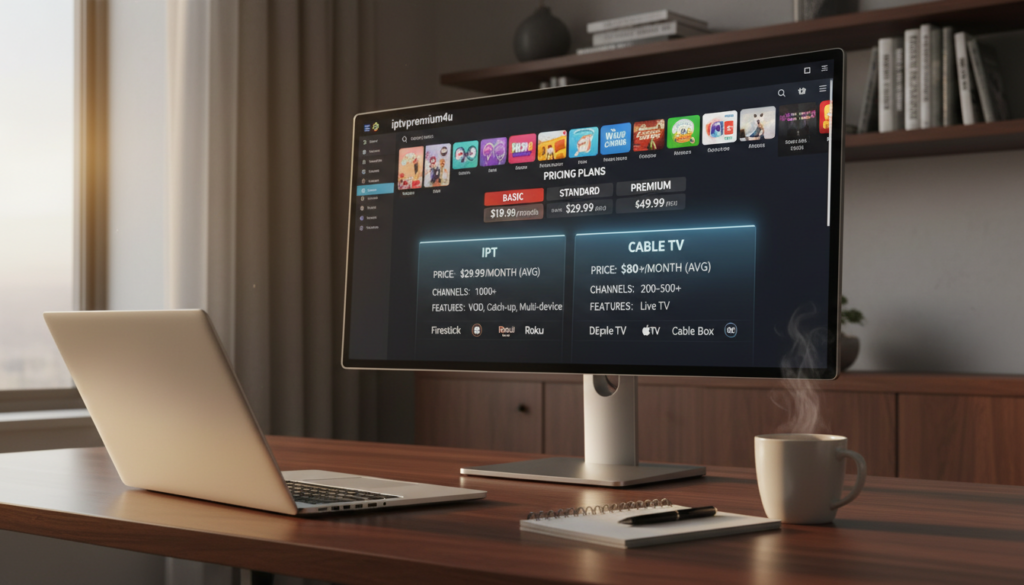
Cable providers like Comcast Xfinity and Spectrum start with low rates around $79.99 per month. But, after promotions end, prices can go up to $150 or more. Many households pay around $180–$203 per month.
IPTV services, on the other hand, offer prices between $8 and $25 per month. You can find lower-cost options for about $9 per month. Mid-tier services usually cost $15–$22 per month. This means IPTV can save you money over time.
Hidden Fees and Charges
Cable bills often have extra fees. You might pay $20–$30 for broadcast TV, $10–$15 for regional sports, and $15–$25 for equipment rental. There are also taxes and regulatory surcharges.
IPTV can cut down on these extra costs. You might pay about $5 per month for a VPN if your ISP throttles traffic. You might also need to buy hardware sometimes. But, IPTV providers usually don’t charge for equipment rental or broadcast fees.
Initial Setup Costs
Cable installation often requires a technician visit and renting set-top boxes. Rental fees over a few years can be more than buying a streaming device.
Setting up IPTV is usually easy to do yourself. You might need to buy an Amazon Fire TV Stick 4K for $30–$50 or an Android TV box. Consider any VPN costs and data usage to compare the total value.
| Cost Element | Typical Cable (per month) | Typical IPTV (per month) | Notes |
|---|---|---|---|
| Base Subscription | $79.99 promo → $150–$203 avg | $8–$25 | IPTV lists lower regular rates; cable often rises after intro period |
| Hidden Fees | $45–$70 (broadcast, sports, rentals) | $0–$5 (VPN optional) | Cable adds many mandated fees; IPTV can avoid most recurring surcharges |
| Equipment & Setup | Technician + box rentals ($15–$25/box) | One-time device $30–$50 | IPTV setup is DIY and cheaper over time |
| Five-Year Example | $10,800–$12,180 | $300–$1,500 | Illustrates long-term savings when choosing reliable iptv subscription options |
To find the best cable tv alternatives, add all recurring fees, hardware costs, and expected internet usage into your comparison. This will give you a clear picture of IPTV pricing versus cable. It will help you decide which option fits your budget and viewing habits.
Content Variety: IPTV and Cable
You want a service that fills your screen with channels you actually watch. Cable bundles often advertise hundreds of channels in premium tiers. Yet, many are duplicates or highly niche. Regional blackout rules can limit access to certain live sports, and local network deals may restrict feeds during big events.
IPTV providers promise vast lineups and wide international coverage. Some premium packages list tens of thousands of iptv channels and broad sports feeds. This gives you alternate regional streams that reduce blackout problems. Be cautious when choosing the best iptv service, as long channel lists can include dead links or repeated streams.
Channel reliability matters more than raw counts. You should test channels before committing. Look for providers with transparent uptime and regular link maintenance. Popular, reputable iptv providers often publish sample playlists and trial periods. This lets you verify live sports and international channels.
On-demand libraries differ between platforms. Cable vendors offer VOD through their apps, but recent releases or premium titles may come with extra fees. You may find the catalog limited unless you add rentals or subscription apps like Max or Paramount+ to your bill.
Many IPTV services bundle large VOD selections into one interface. The best iptv service options aggregate movies and series from multiple sources. This can total tens of thousands of titles. That consolidation makes searching easier, but you must confirm content licensing and playback stability.
Exclusive programming gives cable an edge in some local rights and live sports deals. Networks tied to regional broadcasters can keep exclusive windows for local games. IPTV counters this by providing multiple feeds and international alternatives that often bypass blackout constraints.
Some IPTV providers include premium channels such as HBO and Showtime through aggregated feeds. Verify whether those channels are officially licensed in your area and whether the provider maintains consistent access. When comparing iptv and cable for exclusive shows, weigh guaranteed rights against flexible international options.
Practical judging tips: prioritize working channels and sports reliability over the headline count of channels. Check trial periods, read recent user feedback, and test live sports streams. This approach will help you pick the best iptv service or cable package that fits your viewing habits.
Picture and Sound Quality
How a service handles video and audio greatly affects your viewing experience. You need clear information on packet handling, encoders, and delivery paths. This helps you judge the quality of iptv streaming, 4k iptv readiness, and compare it to cable.
Streaming Quality: IPTV
Your IPTV picture quality depends on the encoder, server capacity, and internet speed. Good encoders preserve detail while using bandwidth wisely. Adaptive streaming and load balancing help reduce buffering during busy times.
With fast fiber or broadband, premium IPTV can use all available bandwidth. This delivers very high fidelity. For reliable 4k iptv, look for providers that list encoder specs and offer tested 4K streams.
Broadcast Quality: Cable
Cable sends signals over dedicated paths, which often feels stable and consistent. It’s good for audio and standard definition channels. But, providers compress multiple channels to fit infrastructure, which can lower perceived sharpness on some channels.
4K on cable is available but often limited to select events or premium tiers. You may need set-top boxes or extra fees to unlock high-resolution broadcasts.
According to discussions on Reddit and customer reviews on Trustpilot, many users prefer IPTV services because of their lower monthly costs and flexible streaming features.
Advanced Features: 4K & HDR
IPTV services expand 4K availability faster because they can stream native 4K when encoding and bandwidth allow. Make sure a provider streams native 4K and not upscaled HD before you commit. Check HDR support and device compatibility for the best results.
When comparing iptv vs cable for next-level picture and sound, test during peak hours. Compare the same content on both platforms. Look for the best iptv service that documents real-world uptime, encoder setups, and verified 4K/HDR streams.
User Experience: Interface and Usability
When you compare IPTV and cable, how they feel is just as important as the channels they offer. Your comfort comes from clear menus, fast searches, reliable guides, and easy parental controls. Here are key points to consider when judging interfaces and usability.
Navigating IPTV Interfaces
IPTV providers offer apps that vary from simple to packed with features. You might find native apps from big providers or third-party apps like IPTV Smarters Pro on Android TV and Fire TV.
Look for an easy-to-use EPG and accurate program listings. Bad providers often have wrong schedules. Search, categories, VOD navigation, and parental controls are key to daily use.
Premium options let you sync watchlists across devices. If you’re using iptv apps for Firestick, choose providers with well-made apps and regular updates for the best experience.
Cable TV User Experience
Cable set-top boxes are familiar and easy to use for many. They often have stable DVRs and channel guides.
But, some may have slow menus and cluttered screens. Ads and restrictions can also break your flow and limit watching across devices.
When comparing iptv and cable, cable is often better for simple, consistent use. But it lacks in personalization and syncing across devices.
Remote Control Convenience
With IPTV, you can use Firestick remotes, smart remotes, or mobile apps. Amazon Fire TV’s voice search makes finding live channels and VOD quick.
Cable remotes work well and sometimes have voice control. But, these remotes might be specific to the provider and limit custom shortcuts.
Your choice depends on whether you prefer modern features and the ability to use devices together. Many users choose the best iptv service for its responsive interface and flexible remote options when comparing iptv and cable.
Flexibility in Viewing Options
You want to watch TV on your own terms. Today, streaming and traditional TV offer more than just sitting in the living room. Here’s a look at live streams, mobile access, and recording options to help you choose between IPTV and cable.

Live Streaming with IPTV
IPTV brings live channels to your screen via the internet. The quality depends on the provider’s servers and setup. Top providers use strong servers to handle big events like NFL games or soccer matches.
Many IPTV services offer different feeds to avoid local blackouts. You might get international and niche channels that cable doesn’t offer.
On-the-Go Access
One big plus of IPTV is watching anywhere with internet. Cable TV is tied to a physical address and can’t travel with you.
Good IPTV providers work on many devices like Fire TV Stick, Android TV, and smart TVs. If you travel a lot, test the service on your devices first.
DVR Capabilities
Cable DVRs often cost extra and need rented hardware. IPTV’s cloud DVR can be cheaper or included in your plan. Apps like TiviMate and IPTV Smarters Pro make recording and catch-up easy.
Check how recordings are stored and any limits before using cloud DVR instead of a cable box.
| Feature | IPTV (typical) | Cable (typical) |
|---|---|---|
| Live event handling | Scalable servers, multiple feeds, depends on provider | Local feeds, subject to regional blackout rules |
| Portability | Stream anywhere with internet, ideal for iptv on-the-go | Restricted to service address, not portable |
| Device compatibility | Wide: Firestick, Android TV, iOS, Android, Smart TVs | Set-top boxes, limited apps on smart TVs |
| DVR options | Cloud DVR often cheaper or bundled, app integration | Hardware DVR, rental fees, fixed storage limits |
| Cost factors | Depends on iptv subscription tier and add-ons | Monthly fees plus DVR rental and local service charges |
| Best use case | Frequent travelers and multi-device households | Users who prefer simple, location-based setups |
Reliability and Stability of Service
When comparing IPTV and cable, think about how each works and what can stop it. IPTV needs a good internet connection and the server’s health. Cable uses its own lines, which are less likely to slow down your internet.
Internet Dependency for IPTV
Your IPTV quality depends on fast internet and few lost packets. For HD, you need at least 25 Mbps. For 4K, 50 Mbps or more is best. But, internet issues like traffic shaping can cause problems.
Some IPTV providers use extra servers to keep your stream smooth.
Service Reliability for Cable
Cable is reliable because it uses its own lines. But, it can fail due to bad weather or old infrastructure. Cable gives you good video and sound, but might not have as many 4K channels.
Outage Responses
How fast services come back depends on the provider. Good IPTV services have quick support and fix problems fast. But, unknown IPTV sources might not be as reliable.
Cable companies send technicians to fix issues. But, they might not be able to fix it right away.
Try out services during your usual watching times. For important events like live sports, choose providers with good streaming quality and uptime records.
Customer Support: IPTV vs Cable
Choosing a TV service means looking at more than just channels and cost. Good support helps fix issues fast, solves billing problems, and keeps your service running smoothly. Here’s what you can expect from IPTV providers and cable companies, along with tips for using user reviews to check reliability.
Support Options for IPTV Services
Premium IPTV providers offer live chat, email, and knowledge bases. Some also have forums and phone support for higher plans. How quickly they respond during a free trial shows their problem-solving skills.
Be cautious of providers that vanish after you pay. Look for services with recent, detailed reviews and active social media presence.
Traditional Cable Customer Support
Cable companies like Comcast Xfinity, Spectrum, and Cox have phone support and in-person help. You can get technicians to fix complex issues at home. This setup is great for big installations.
But, expect long waits for billing or cancellation issues. Even with big teams, dealing with complex billing can lead to many calls.
User Reviews and Satisfaction
Check out Reddit and Trustpilot when comparing IPTV and cable. Look beyond just the numbers. Stories about channel quality, stability, and support are more valuable than generic ratings.
Testing shows cheap services often have poor support and frequent outages. Mid-tier, well-reviewed options usually offer good uptime and quick support. Try contacting support during the trial to see how they handle real issues.
- Tip: Ask about refund policies and service credits before subscribing.
- Tip: Save transcripts or ticket numbers for any future disputes.
- Tip: Compare support hours and channels when choosing the best iptv service for your needs.
Installation Processes and Equipment
Choosing TV in 2026 has two main paths. This guide compares the steps, tools, and time for streaming versus traditional wiring. Use these points to decide what fits your skill level and budget.
Setting Up Your Streaming Service
For IPTV, start by picking a streaming device. Options include Amazon Fire TV Stick 4K, an Android TV box, or a Smart TV with app support. Then, subscribe to a reputable provider and install the provider app or a client like IPTV Smarters or TiviMate.
Next, enter your login credentials or add an M3U/URL playlist. Test channels during peak hours to confirm stability. A polished provider can make iptv installation take as little as five to fifteen minutes.
If your provider requires playlist tweaks or encoder settings, setup can take longer. Consider an optional VPN for network privacy and to reduce ISP throttling risks. For many users, following an iptv setup guide speeds the process and prevents common errors.
Cable Technician Visit and Wiring
Cable tv installation typically involves scheduling a technician for a home visit. The technician runs coaxial wiring, provisions set-top boxes and configures the gateway. You may need to be home for the appointment while the technician tests signal strength and channel mapping.
Providers often charge installation or activation fees. Ongoing equipment rental fees for set-top boxes are common. Once installed, the system is mostly plug-and-play and requires little hands-on maintenance from you.
Equipment You’ll Need
Streaming setups require a Firestick, Android TV box, or a Smart TV that supports apps. A smartphone or tablet helps with account setup and remote control apps. For the best performance, upgrade your router or use wired Ethernet for set-top stability. Keep an optional VPN subscription in mind.
Cable setups need provider-supplied set-top box(es), a gateway or modem, and coaxial wiring. Multi-room viewing usually means multiple boxes and higher monthly rental fees. You may own a compatible DVR, but many providers include cloud DVR for an extra charge.
| Aspect | IPTV Setup | Cable TV Installation |
|---|---|---|
| Typical Time | 5–15 minutes with polished apps; up to 1 hour if manual playlist config needed | 1–3 hours including technician visit and wiring |
| Common Devices | Firestick 4K, Android TV box, Smart TV apps, smartphone/tablet | Provider set-top box, gateway/modem, coaxial wiring |
| Initial Cost | One-time device purchase $30–$120; optional VPN or router upgrades | Possible installation fee; low or no device purchase but monthly rental fees |
| Complexity | Low for many providers; higher if manual M3U or encoder work is required | Low for you after technician completes installation |
| Best For | Quick, low-cost setup and device ownership; follow an iptv setup guide and pick the best iptv apps for Firestick | Users who prefer a turn-key install and minimal DIY, despite higher long-term costs |
Future Trends in IPTV and Cable
The TV world is changing fast. It’s important to understand these changes to make smart choices. This section will cover new IPTV features and how cable companies are adapting. We’ll also look at market predictions for 2026 that could influence your decisions.
Innovations in IPTV
IPTV providers are working on better video quality. They’re adding more 4K and HDR content. Expect to see improved encoder technology and adaptive bitrate streaming to handle busy times better.
They’re also using server-side load balancing and expanding VOD libraries. This makes watching smoother and finding special content easier.
Premium IPTV services focus on polished apps and strong server security. They use encrypted streams to protect your privacy and avoid ISP throttling. Choose services with a good reputation and clear business practices.
Cable’s Adaptation to New Technologies
Cable companies are upgrading their networks. They’re using DOCSIS improvements and faster fiber rollouts to increase bandwidth. These changes aim to close the speed gap between traditional cable and modern streaming.
Cable firms often rely on exclusive sports rights and bundled internet deals to keep customers. Even with these upgrades, you might face old models with high fees and long contracts.
Market Predictions for 2026
Market predictions for 2026 suggest more people will cut the cord. They’re looking for ways to save money and gain flexibility. IPTV’s future looks bright with consistent 4K and reliable sports coverage.
Regulatory actions and licensing enforcement might lead to fewer IPTV providers. Look for services with a good reputation, test streams during busy times, and choose paid premium options for better performance.
- Testing tip: Run trials during evening hours to evaluate IPTV streaming quality.
- Selection tip: Compare iptv providers on uptime, app polish, and legal licensing.
- Budget tip: Factor in long-term costs for cable bundles versus subscription flexibility with IPTV.
Conclusion: Making the Right Choice
When choosing between iptv and cable for 2026, think about what’s important to you. IPTV often offers great value with lower prices, more channels, and the ability to watch anywhere. Cable is a good choice if you have unreliable internet or prefer a simple, plug-and-play setup.
Consider your internet quality, sports needs, and how much you value watching on the go. For savings and flexibility, try IPTVPremium4U. If you want easy, reliable service, stick with cable until your internet gets better.
IPTV saves money, offers 4K quality, and flexible plans but depends on your internet. Cable gives stable local TV and support but costs more and ties you to fees. Try cable for a month, add a Fire TV Stick, and start a premium IPTV free trial to test it during sports or family time.
Ready to compare? Try IPTVPremium4U now or start an IPTV free trial today. This will let you see how streaming quality, channel selection, and device compatibility work in real life. This hands-on test will help you choose the best option for 2026.
For users who stream on Amazon devices, our best IPTV subscription for Firestick guide can help you choose the right service for smooth and stable viewing.