Having trouble with installation, constant buffering, or hunting for the best apps on your device? You are not alone. Many users face slow streaming, confusing setup steps, or services that simply stop working.
The right iptv player firestick setup can change everything. A good app organizes channels, improves the interface, and makes live streaming smooth. We tested options like TiviMate and smarters pro to find reliable choices.
In this guide, we’ll walk through simple, step-by-step solutions to fix buffering and setup issues. Expect clear advice on selecting the best iptv service, managing content, and choosing players that match your needs. By the end, you’ll know which app and features suit your viewing style.
Table of Contents
Key Takeaways
- Choosing the right app improves live streaming and reduces buffering.
- Players act as the hub for channels and content organization.
- TiviMate and smarters pro are top contenders for usability.
- Reliable services matter, but the interface shapes your experience.
- Follow the step-by-step fixes to get a stable viewing setup.
Understanding the Role of an IPTV Player
Think of a media interface that turns raw streams into an organized channel list.
A dedicated iptv player does not host content. It simply connects your subscription credentials—like M3U playlists or Xtream codes—to external services so you can watch live channels and VOD.
These apps act as a centralized interface that organizes content, adds EPG support, and enables multi-screen viewing. Many users prefer them because they offer clearer menus and faster navigation than the native apps many iptv services provide.
- An iptv player organizes your subscription into easy-to-use lists.
- Its legal status depends on sources; the tools are neutral—players legal when used with legitimate services.
- By centralizing streams, the app improves reliability and makes channel access consistent for users.
Comparing the Best IPTV Player Firestick Options
Choosing between a full-featured interface and a lightweight option comes down to priorities.
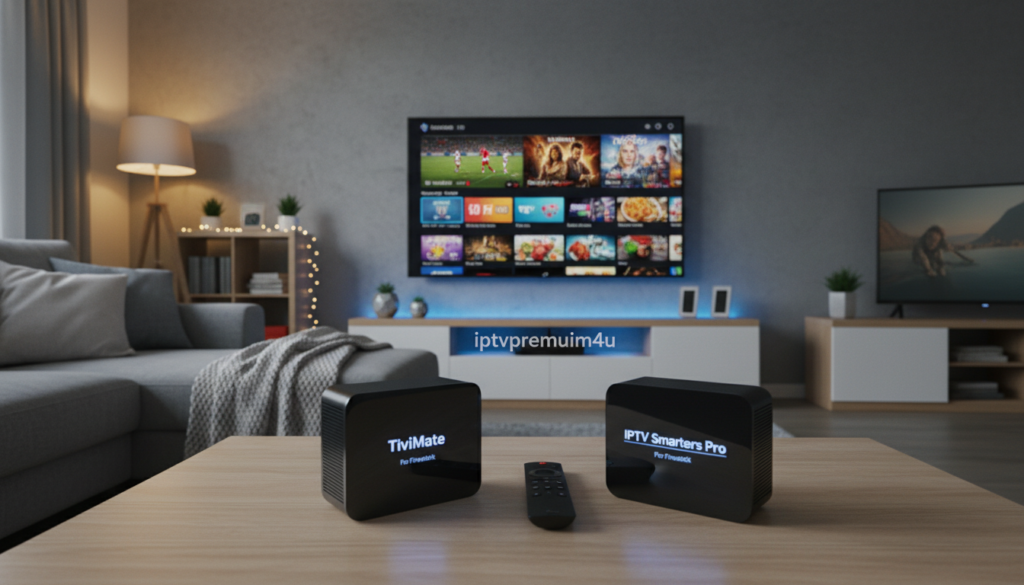
TiviMate Features
TiviMate targets users who want customization. It supports parental controls, recording, and robust channel management. Pricing starts at $9.99/year or $33.99 lifetime for up to five devices.
Smarters Pro Interface
Smarters Pro is the rebranded iptv smarters app known for a clean layout. It handles m3u playlist formats and xtream codes for fast channel loading. The design suits users who prefer a simple, polished interface.
Alternative Lightweight Players
Smart IPTV offers a one-time fee of $6.67 for lifetime access and appeals to users who want a low-cost option. Many other lightweight apps are available free so users can try the free version before buying a premium version.
- Codes api often auto-populates EPG and reduces manual setup.
- Ensure support for xtream codes to keep access to live channels consistent.
| App | Cost | Key Features | Best For |
|---|---|---|---|
| TiviMate | $9.99/yr or $33.99 lifetime | Parental controls, recording, advanced features | Power users seeking customization |
| Smarters Pro | Available free / premium version | M3U playlist, xtream codes, clean interface | Users wanting a simple, polished interface |
| Smart IPTV | $6.67 lifetime | One-time fee, lightweight setup | Budget-conscious users |
Why Premium IPTV Services Outperform Free Apps
Premium services often deliver the most consistent streaming quality for regular viewers.
Stability and fewer interruptions. Paid providers invest in better servers and bandwidth, so you experience less buffering when you stream live. This matters if you watch sports or scheduled shows.
Dedicated support. A professional service offers help teams that fix playback errors fast. That saves time and keeps your setup working.
- Premium iptv services provide higher uptime and accurate EPG data, reducing sync problems.
- Advanced players and apps let users manage multiple subscriptions and advanced features.
- High-quality delivery keeps movies and series available at the best resolution.
Safer and more reliable. Paying for a service reduces risks tied to unverified free apps that may track data. The consistent interface and professional setup give users a smoother way to stream live and enjoy content.
Essential Security Measures for Streaming
Before you press play, lock down your connection to avoid leaks and throttling.
Use a VPN with strong encryption. A 256-bit VPN hides your IP address and shields personal data while you stream. This is critical for anyone who install use a third-party media app to watch live content.
The Importance of VPN Encryption
When you install use an iptv player, encryption prevents ISPs from monitoring or slowing your traffic. It also keeps hackers from seeing your activity and protects account details tied to subscription services.
- Using a VPN like Surfshark is essential to protect privacy from ISPs and trackers.
- Surfshark offers 3,200 servers in 100+ locations to keep live streaming fast and stable.
- Because many iptv players legal status depends on content sources, encryption is a necessary shield for users.
- Always activate your VPN before launching a player to keep your identity anonymous during streaming.
Final tip: Treat security as part of setup. A secure connection preserves your viewing experience and helps keep apps and services working as intended.
Elevate Your Experience with IPTVPremium4U
Upgrade your viewing with a service built for dependable, high-resolution streams.
IPTVPremium4U is presented as a reliable iptv service that focuses on stable servers and minimal buffering. The platform advertises over 10,000+ channels, including Sports, Movies, and Series in HD and 4K. It supports xtream codes and advanced features to keep your interface tidy and responsive.
High Quality Streaming and Stability
The service emphasizes uptime and fast delivery so live streaming stays smooth. Its premium version pushes updates and fixes regularly.
Accessing Thousands of Channels
Subscribers get wide content variety and parental controls for family use. The plan is promoted as working on Firestick, Smart TV, and Android devices.
- Try IPTVPremium4U now to access 10,000+ channels in HD & 4K.
- Start your IPTV free trial to test stability across devices.
- Get Premium IPTV Subscription for a plan similar to a 19.99 lifetime option.
| Feature | Benefit | Notes |
|---|---|---|
| Channels | 10,000+ Sports, Movies, Series | HD & 4K available |
| Compatibility | Firestick, Smart TV, Android | Works with popular players and apps |
| Access | Free trial & premium version | Supports xtream codes and advanced features |
| Stability | Optimized servers | Focused on minimal buffering |
Call to action: Try IPTVPremium4U now — Get Premium IPTV Subscription and start your IPTV free trial to see why many users call it one of the best iptv options for stable, high-quality streaming.
Technical Setup and Configuration Tips
Start your setup with the Downloader code 730116 to add apps quickly and safely.
Begin by installing the right app and use the code above to fetch the official package. Enter your server URL and login details exactly as provided to avoid connection errors.
Many users find that smarters pro config is straightforward. Add your Xtream codes in the settings area to link services fast.
If playback fails, check your internet and confirm the subscription is active before reinstalling the app. This simple check saves time and avoids needless troubleshooting.
Customize the interface so channels and content are grouped clearly. A tidy menu makes navigation faster and improves overall streaming reliability.
- Keep apps updated to stay compatible with new streaming protocols.
- Follow a step-by-step install iptv guide to avoid common pitfalls.
- Test a single channel first to verify credentials and EPG sync.
“Proper setup and simple checks prevent most connection issues and keep your setup running smoothly.”
Managing Playlists and Electronic Program Guides
Good playlist organization speeds up load times and keeps channel lists accurate.
Start by cleaning your m3u playlist. Remove dead links and group channels by type. This helps the electronic program guide sync faster and reduces errors when fetching metadata.
Many iptv players and apps support mapping codes api or xtream codes directly to a playlist. That step makes setup easier and cuts channel loading times for live channels.
Optimizing Channel Loading Times
Use smaller, themed playlists—sports, movies, and series—so the interface loads fewer entries at once. For easy use, label each list clearly and update it often.
- Keep one updated master list and split it into category files for performance.
- Enable parental controls in the app to block adult content and create a safer household view.
- Toggle between premium version and free version features to see which offers faster EPG refreshes.
“Organize your content, update regularly, and users will enjoy a smoother program guide experience.”
Resolving Common Playback Issues
If streams stutter or channels won’t load, a few quick checks often solve the issue.
Quick fixes: If you see playback errors, check our IPTV not working fix guide to rule out connection and server problems.
- When the electronic program guide fails, clear the cache in your app settings and restart the interface.
- For configuration errors, consult the IPTV setup guide to verify xtream codes and server URLs.
- Looking for alternatives? See our Best IPTV apps for Firestick list best players for stability.
- Switching to apps like smart iptv or smarters pro can fix sync issues on certain hardware.
- Always update the app—this is a solid choice to avoid compatibility breaks and playback interruptions.
| Issue | Quick Action | When to Escalate |
|---|---|---|
| Buffering | Check network, lower stream quality | Persistent buffer across multiple channels |
| EPG not loading | Clear cache, reload guide | EPG missing for all live channels |
| Auth errors | Verify xtream codes and login | Credentials fail after reset |
“Follow these steps and most users return to smooth streaming within minutes.”
Conclusion
, Picking the right viewing hub makes your whole setup feel faster and clearer.
The best iptv players bring order to playlists and reduce buffering. We compared options so you can choose with confidence.
Whether you favor TiviMate’s deep customization or a simple interface, the list best choices cover most needs. A reliable service behind your setup keeps video quality high.
Always protect your connection with a VPN before you watch. This step secures account details and prevents throttling.
We hope this guide helped you find the ideal iptv player and the right path to smoother viewing today.
Not ready to pay yet? You can explore some great free options in our full guide on Best Free IPTV Apps for Firestick and find safe apps that actually work without constant buffering.